
The 6 Best Laptop Docking Stations to Unlock the Full Desktop Experience (2026)
Key Takeaways
- Thunderbolt 5 technology now supports up to 240W power delivery and triple 4K displays at 144Hz.
- Users must distinguish between simple USB hubs for portability and full docking stations for stationary, high-performance desktop setups.
- Mac users may require DisplayLink software to overcome native limitations on the number of external monitors supported.
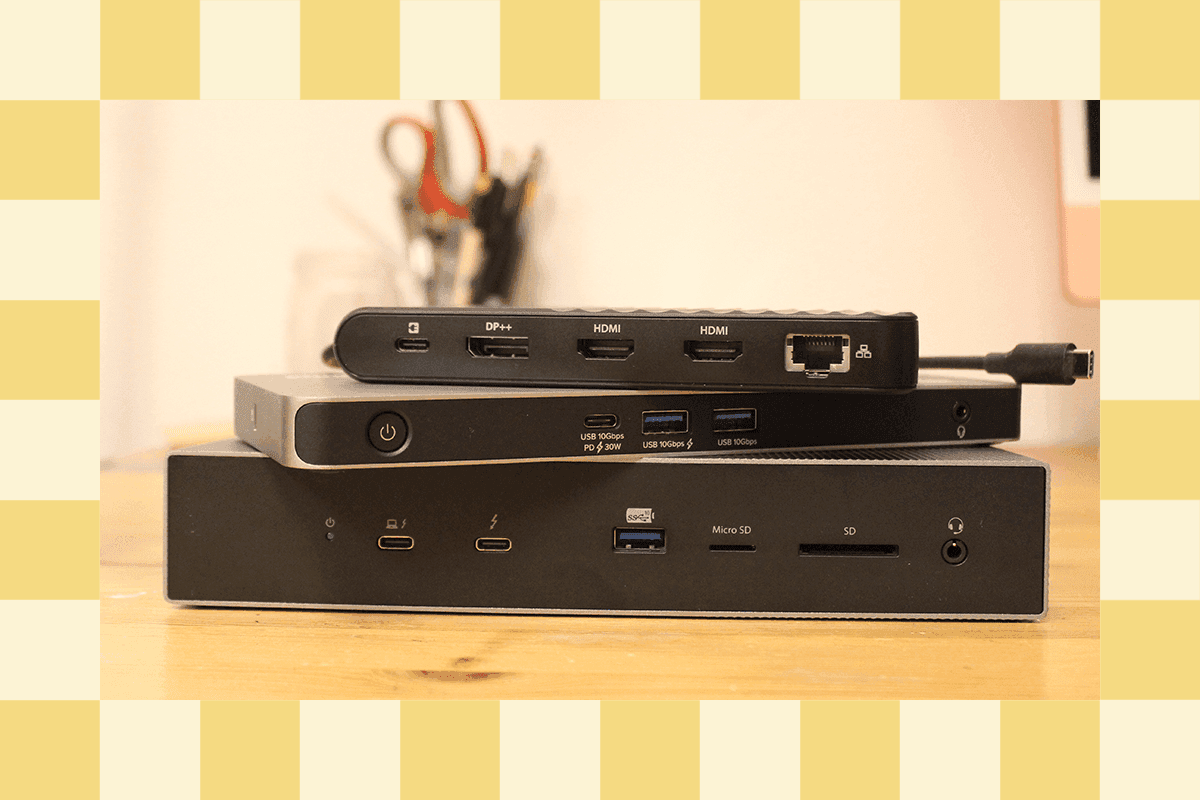
OPA WIRE, Sep 30 (OPA) — As the modern workspace continues to evolve, the demand for high-performance laptop docking stations has reached an all-time high in 2026. These devices serve as the critical bridge between portable computing and a full-scale desktop environment, allowing users to connect multiple high-resolution displays, high-speed storage, and various peripherals through a single, streamlined USB-C or Thunderbolt cable. While many options flood the market, identifying the right hardware requires a careful balance of port variety, data transfer speeds, and power delivery capabilities tailored to specific professional workflows.
Market leaders like the Ivanky FusionDock Max 1, priced at $330, cater to high-end MacBook Pro users by supporting up to four 6K displays, while the Ugreen Revodok Max 213, at $300, offers rare 8K display support for specialized media tasks. For budget-conscious professionals, the $200 Baseus Spacemate Air provides a reliable 12-in-1 solution. Official specifications highlight that Thunderbolt 4 remains the industry standard for high-speed data, while the emerging Thunderbolt 5 technology, capable of delivering 240 watts of power and supporting triple 4K displays at 144 Hz, is rapidly setting a new benchmark for power users.
Historically, the distinction between a simple USB hub and a professional docking station was clear, with hubs serving as portable port expanders and docks acting as stationary powerhouses. However, 2026 has seen these lines blur as manufacturers integrate more advanced features into smaller form factors. Understanding the technical nuances—such as the difference between upstream and downstream ports and the specific power delivery requirements of one's laptop—is now essential for any user looking to avoid performance bottlenecks or hardware incompatibility issues.
For the average consumer, the ramifications of choosing the wrong hardware can range from frustrating latency issues to the inability to drive multiple external monitors. Mac users, in particular, must remain vigilant regarding display limitations, often requiring DisplayLink software to bypass native constraints. Conversely, Windows users generally enjoy broader compatibility, though they must still ensure their chosen dock provides sufficient wattage to sustain their specific laptop model during intensive tasks like video editing or high-speed data transfers.
Looking ahead, the integration of Thunderbolt 5 is expected to become the standard for high-end workstations, effectively eliminating the trade-offs currently associated with multi-monitor setups. Experts suggest that as AI-driven workflows and high-resolution media production become more prevalent, the docking station will transition from a peripheral accessory to a foundational component of the digital office. Future developments will likely focus on thermal management and user-accessible storage slots, addressing current complaints regarding non-upgradable internal components and chassis build quality.
Subscribe to the Global Briefing
Receive our flagship executive dispatch every morning. Essential geopolitical analysis, financial benchmarks, and breaking world events delivered to your inbox.
Mohammad Karamali
Verified Wire ContributorSenior correspondent covering geopolitics, regional developments, and strategic international affairs for OPA News (Optimum Public Affairs).
Related Stories & Follow-ups
Editorial Wire


Reader Discussion
Leave a Comment
0 Comments
Owner
Editorial Oversight & Machine-Assisted Reporting
Human-in-the-Loop VerifiedEditorial Oversight & Machine-Assisted Reporting: This dispatch was synthesized and localized via OPA automated intelligence under continuous human editorial supervision.
Wire Source
This report was synthesized from Wired under journalistic fair use.