
Unlocking the Roku Remote: Understanding the Versatile Star Button
Key Takeaways
- The star button functions as a contextual options menu that changes based on the user's current screen.
- It provides access to app management, image quality settings, and sleep timers during playback.
- Pressing the star button four times quickly toggles the text-to-speech screen reader for accessibility.
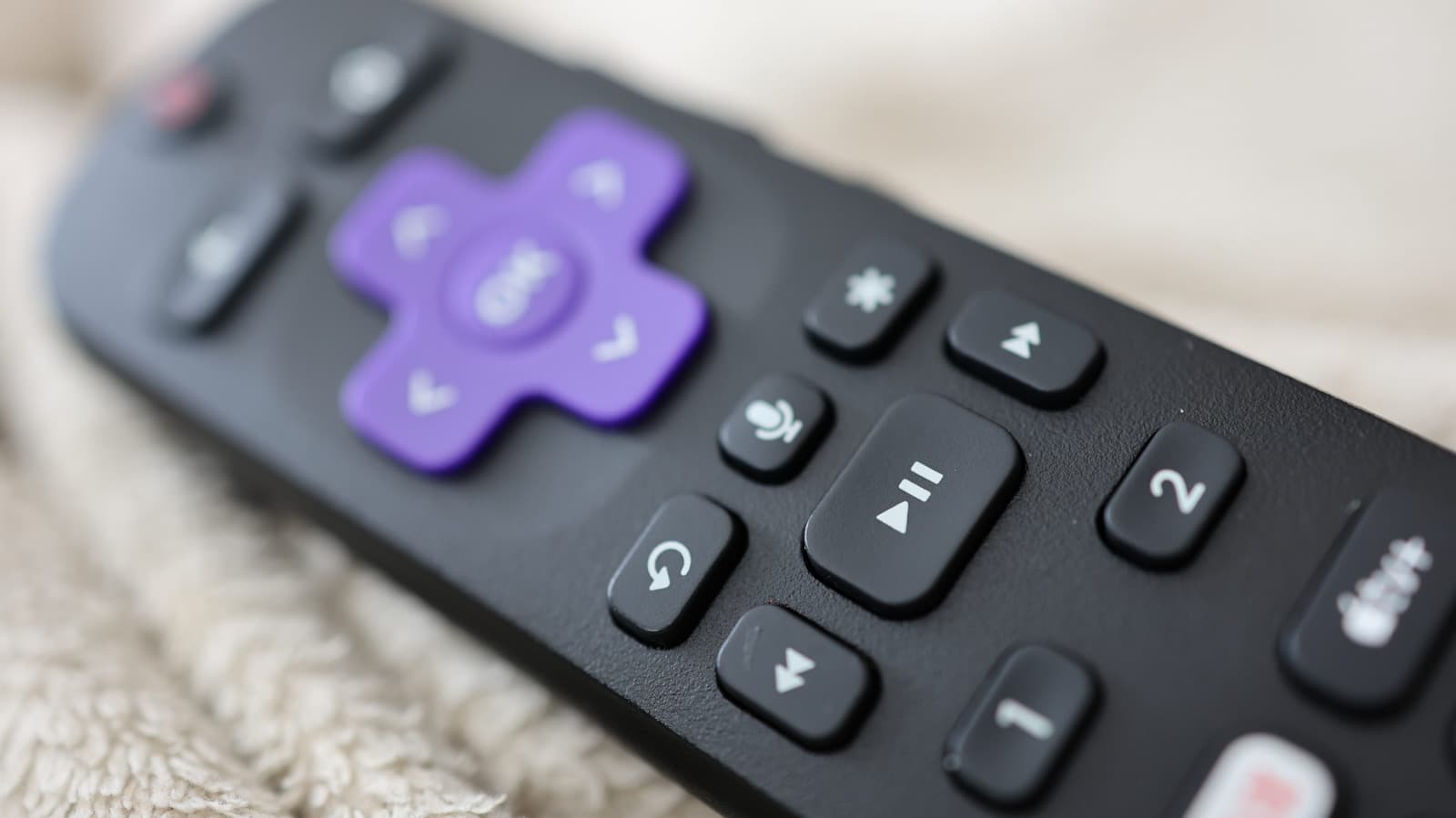
The Roku remote control is renowned for its minimalist design, yet it features a frequently misunderstood star button located above the fast-forward control. Unlike dedicated buttons for streaming services or navigation, the star button serves as a contextual "options" menu that changes functionality based on the user's current screen. Whether navigating the home interface or actively streaming content, this button acts as a gateway to deeper system settings and customization features.
When used on the home screen, the star button allows users to manage their application library by checking version numbers, moving channel positions, or removing apps entirely. For Roku TV users, the button provides additional utility, such as renaming external inputs like gaming consoles. During active playback, pressing the star button triggers a sidebar menu that offers granular control over image quality, volume modes, and sleep timers, though the specific options available depend on the capabilities of the individual streaming application.
Beyond its role as an options menu, the star button serves as a critical accessibility shortcut. Users can toggle the text-to-speech screen reader—formerly known as the Audio Guide—by pressing the star button four times in rapid succession. This feature is supported across a wide range of hardware, including the Roku Streambar, Streaming Stick, and various Express models, providing an immediate way to assist users with visual impairments without requiring navigation through complex settings menus.
Understanding the star button significantly enhances the overall Roku user experience by streamlining access to system maintenance and accessibility tools. While the button's behavior remains contextual, mastering its various triggers allows for a more personalized and efficient interface. As Roku continues to update its software, the star button remains a constant, essential tool for users looking to optimize their viewing environment and manage their device settings with minimal friction.
Subscribe to the Global Briefing
Receive our flagship executive dispatch every morning. Essential geopolitical analysis, financial benchmarks, and breaking world events delivered to your inbox.
Related Stories & Follow-ups
Editorial Wire Technology
Anthropic Confirms Houthi Rebels Used Claude AI to Develop Advanced Missile Guidance Systems
 Technology
OpenAI Confirms Development of Humanoid Robot Focused on Advanced AI Brain
 Technology
North Korea Tests New AI-Powered Submarine-Launched Torpedo System
Reader Discussion
Leave a Comment
0 Comments
Owner
Editorial Oversight & Machine-Assisted Reporting
Human-in-the-Loop VerifiedEditorial Oversight & Machine-Assisted Reporting: This dispatch was synthesized and localized via OPA automated intelligence under continuous human editorial supervision.
Wire Source
This report was synthesized from Engadget under journalistic fair use.